Built-in Constants in Visual Basic
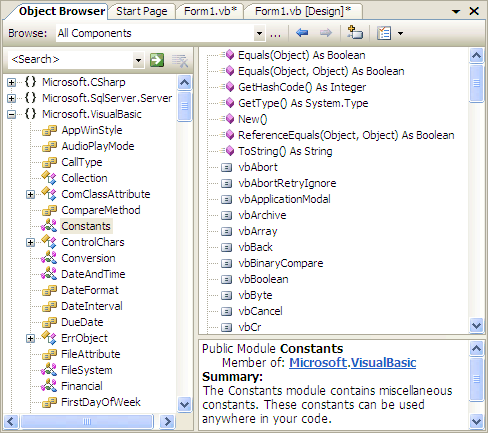
Visual Basic contains numerous built-in constants that facilitate assigning commonly required values to variables and object properties. Possibly the most commonly used is vbNullString.
You can see all of the available constants via the Object Browser (click on Object Browser in the View menu). Select the Microsoft.VisualBasic name space and then Constants (as shown in the figure).
Notice that these are not mathematical constant, such as PI or e; those are found in the System.Math class. Nor are there constants for colors; those are found in System.Drawing.Color.
Scroll through this list and you'll find vbNullString and vbNewline, two that you'll use quite often. Most of these constants are intended to be used in conjunction with other features of VB such as the message box. In this case the constants help identify which button in a message box window was pressed, such as vbOK , vbRetry, and vbCancel for example.
The values represented by the constants can be assigned to object properties or variables, such as in the statement
Text1.Text =
vbNullString