4-6: More on Nested If Statements
Exercise 4-5: Zeller's Algorithm
Zeller's Congruence allows us to compute the day of the week that a given date corresponds to. For example, given a date such as 21 Jan 1937 the program will compute that the day of the week is Thursday. In fact Visual Basic already has a built-in function to do this task for us, the WeekDay function, so we are "re-inventing the wheel" so to speak - but lets do it anyway for practice.
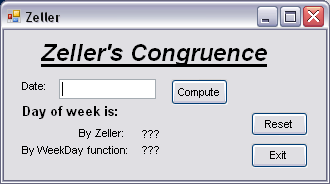
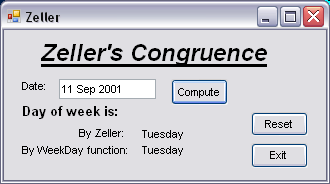
Figure 4-9: The Zeller program
interface
The Zeller algorithm has the following steps, assuming a date dd Month yyyy is entered:
- compute M from the Month as follows - if it's January M=11, February M=12, March M=1, April M=2 and so on to December M=10
- if it's January or February subtract 1 from the year, yyyy. This new value is to be used in the remaining steps.
- calculate C, the century, from the year (e.g. for 1937 C=19)
- calculate Y, the year in the century, from the year (e.g. for 1937 Y=37.)
- compute the value of:
(26M - 2) div 10 + D + Y +
Y div 4 + C div 4 - 2C + 7777
where D is an integer value for the day of the month. - find the remainder when this value is divided by 7. A remainder of 0 implies Sunday, 1 implies Monday and so on to 6 implies Saturday.
The figure shows the user interface. Notice that we calculate the day of the week by both Zeller's algorithm and the built-in Visual Basic function, as a means of double checking ourselves.